VMLogin Fingerprint Browser for Secure Multi-Account Management
Manage multiple browser profiles on one computer. Keep each profile's cookies, local storage and fingerprint settings separate, and configure your own proxy for each profile.
- Simulate browser software and hardware fingerprints.
- Simultaneously open multiple accounts to prevent linking.
- Browser data synchronization across regions in the cloud.
- Support self-configured independent proxies, with IPv6 support.
- Local REST API browser automation interface.
- Support secure management of accounts on multiple platforms such as Facebook, TikTok, Amazon, eBay, etc.
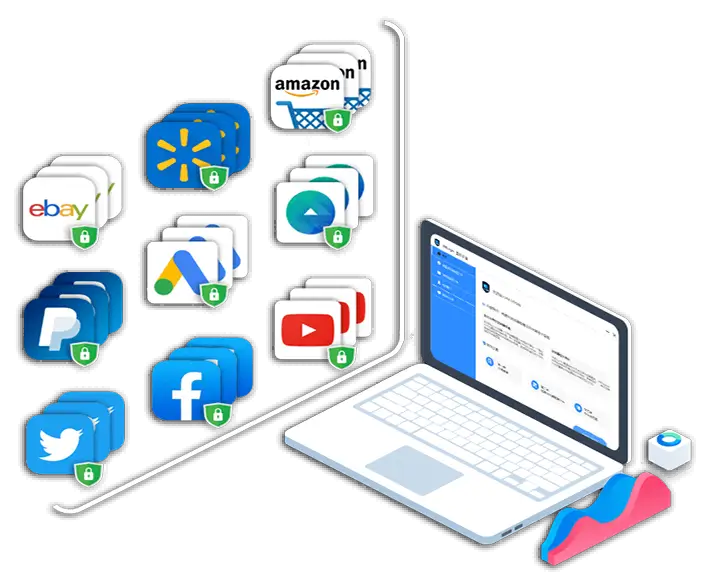
Batch Management of Accounts Across Multiple Platforms
VMLogin keeps browser profiles separate and lets you configure fingerprint settings such as Canvas, WebGL, WebRTC, User-Agent, fonts, language and time zone. You can assign your own proxy to each profile. Isolation helps manage account environments, but does not replace platform permissions or guarantee that an account will avoid restrictions.
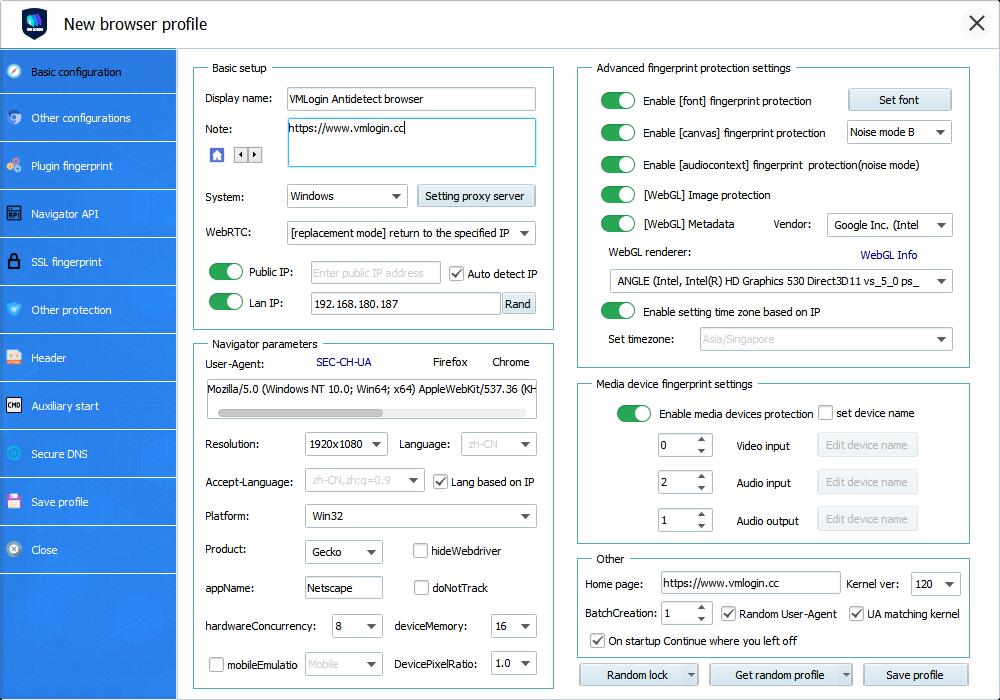

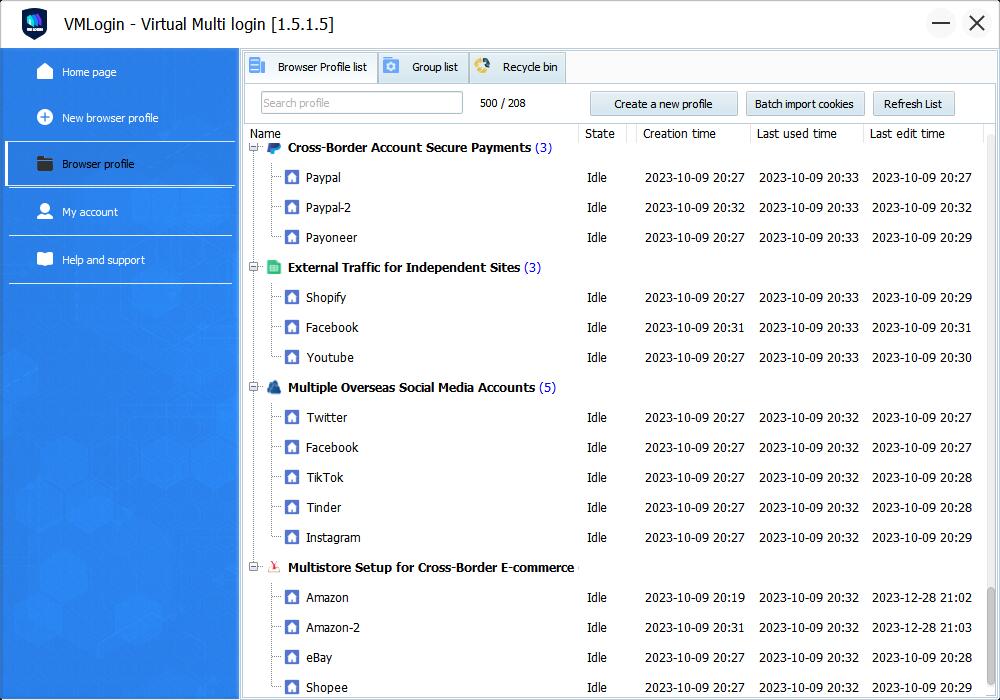

VMLOGIN fingerprint browserCore Features
VMLogin fingerprint browser allows for the configuration of independent fingerprint parameters by creating a separate browser environment. This includes settings such as time zone, language, User-Agent, fonts, screen resolution, WebGL, WebRTC and media-device parameters. VMLogin fingerprint browser can generate and open multiple isolated browser profiles simultaneously on the same computer, significantly improving the efficiency of managing multiple accounts across various platforms.

Account Multi-Opening with Anti-Linking Management
Generate and open multiple isolated browser profiles simultaneously on the same computer. The fingerprint data, cookies, local storage, and other cache files of each super browser are completely isolated. Once generated, the browser profile's fingerprint environment remains unchanged, and closing and reopening it ensures that cached data is never lost.

Simulate Browser Software and Hardware Fingerprints
Through virtual browser fingerprint technology, simulate the browser software and hardware fingerprint information of different devices, such as PC computers, mobile phones, etc. Set differentiated login environments for each account to prevent the problem of account linking and potential suspension due to identical browser fingerprints on the same platform.

A separate proxy for each profile
Supports mainstream proxy service providers and various proxy protocols: HTTP/HTTPS/Socks4/Socks5. Each browser profile is individually equipped with a dedicated proxy IP, ensuring the stability of the login region for each account within the fingerprint browser. IP addresses are used to match corresponding country time zones, languages, and latitudes and longitudes.

Efficient Collaboration, Secure Account Management
The fingerprint environment and account configuration data of each browser profile synchronize in the cloud across different computers. No need for teams to input account passwords; they can log in to websites and complete tasks seamlessly. Support batch import/export of browser plugins, proxy IPs, and cookies. Batch share and transfer fingerprint browser configuration files.



How do websites track me?

A browser fingerprint combines information about the browser and device, such as fonts, graphics capabilities and screen settings.
Many websites and tracking services possess extensive databases with various device models. They extract users' device fingerprints and compare them with their database to detect forged fingerprints. Once a website confirms an account is used on the same device, it tracks your internet identity by cross-referencing software and hardware fingerprints. Even if you clear cookies, change IP, or use InPrivate mode, if your behavior is deemed inappropriate, there's a risk of being identified and tracked, potentially leading to account suspension.

Prevent linkage among multiple accounts with batch management
Simulating device fingerprints isolates browser data, preventing information leaks between configurations and avoiding account associations. Combining this with a proxy assigns unique IPs to each browser, simulating different regions and enabling a single computer to open multiple anti-associated browsers simultaneously.
Virtual browser software and hardware fingerprint
By simulating hardware fingerprints, including Canvas, operating systems, Navigator, WebRTC, time zone, CPU, memory, browser UA, system fonts, WebGL graphics card, resolution, sound card, latitude, longitude, computer name, and MAC address, it emulates target regions and device features. This facilitates actions such as bulk registration, login, and multi-account usage.
Let's see how it works
Whether at the office, home, or studio, if you have a computer with internet access, you can easily manage all platform accounts through VMLogin fingerprint browser.
The first step to using VMLogin fingerprint browser is to download. Install the client and register your VMLogin account.
You can quickly create an browser profile configuration file based on your needs, or you can fully customize all configuration options.
Now you can easily access websites with multiple identities on a single computer without the need for a virtual machine.
VMLogin fingerprint browser Covers Various Use Cases to Accelerate Your Growth

Monetizing Traffic
Businesses use bulk account operations to diversify risks and increase profits. However, this strategy comes with account risks as many websites prohibit the use of bulk accounts.

E-commerce
Centrally manage multiple independent business accounts established on e-commerce platform clusters, reducing and preventing the detection and linking of store account information.

Social Media Marketing
Simultaneously manage work across thousands of social media accounts, leverage your marketing accounts, and conduct matrix operations.

Web Scraping
Simulate various devices for bulk browsing and logging into web pages. Save physical and virtual resources by utilizing fingerprint browser automation instead of local operations.

Ad Placement
Ensure the validity of target market selection and ad placements by simulating users, various devices, and geographic locations, eliminating misleading ad creatives and broken links.
Choose Your fingerprint browser Configuration Package
PERSONAL
- Store 100 browser profiles
- Includes 1 sub-account
- Unlimited creation of unique fingerprint environments
- No limit on simultaneous logins from multiple computers
- Basic REST API and CLI
- Share or transfer browser configurations with any user
- Bulk creation of browser configurations
- 3 Months:$ 177 (7 extra days)
6 Months:$ 354 (30 extra days)
12 Months:$ 531 (25% OFF)
SOLO
- Store 200 browser profiles
- Includes 5 sub-accounts
- Unlimited creation of unique fingerprint environments
- No restrictions on simultaneous logins from multiple computers
- Share or transfer browser configurations to any user
- Bulk creation of browser configurations
- Basic REST API and CLI
- 3 Months:$ 297 (7 extra days)
6 Months:$ 594 (30 extra days)
12 Months:$ 891 (25% OFF)
TEAM
- Store 500 browser profiles
- Includes 10 sub-accounts
- Unlimited creation of unique fingerprint environments
- No restrictions on simultaneous logins from multiple computers
- Share or transfer browser configurations to any user
- Bulk creation of browser configurations
- Basic REST API and CLI
- 3 Months:$ 627 (7 extra days)
6 Months:$ 1254 (30 extra days)
12 Months:$ 1881 (25% OFF)
SCALE
- Store 3,000 browser profiles
- Includes 20 sub-accounts
- Unlimited creation of unique fingerprint environments
- No restrictions on simultaneous logins from multiple computers
- Share or transfer browser configurations to any user
- Bulk creation of browser configurations
- Advanced REST API and CLI
- 3 Months:$ 1497 (7 extra days)
6 Months:$ 2994 (30 extra days)
12 Months:$ 4491 (25% OFF)